WhatsApp platform5 min read
WhatsApp lead follow-up guide
Track WhatsApp sales requests: record the promise, assign an owner, choose the next action, and stop follow-ups when the situation changes.
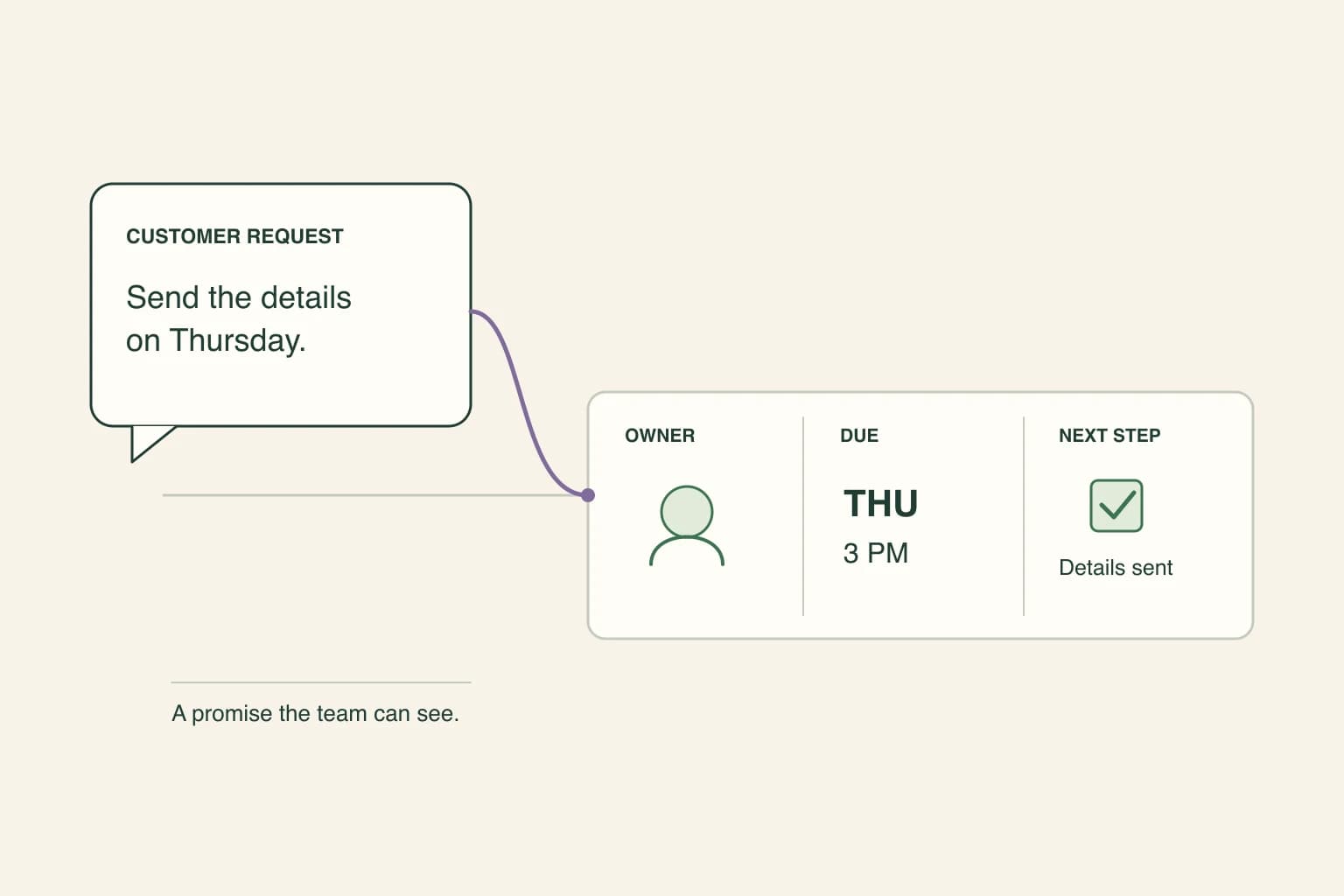
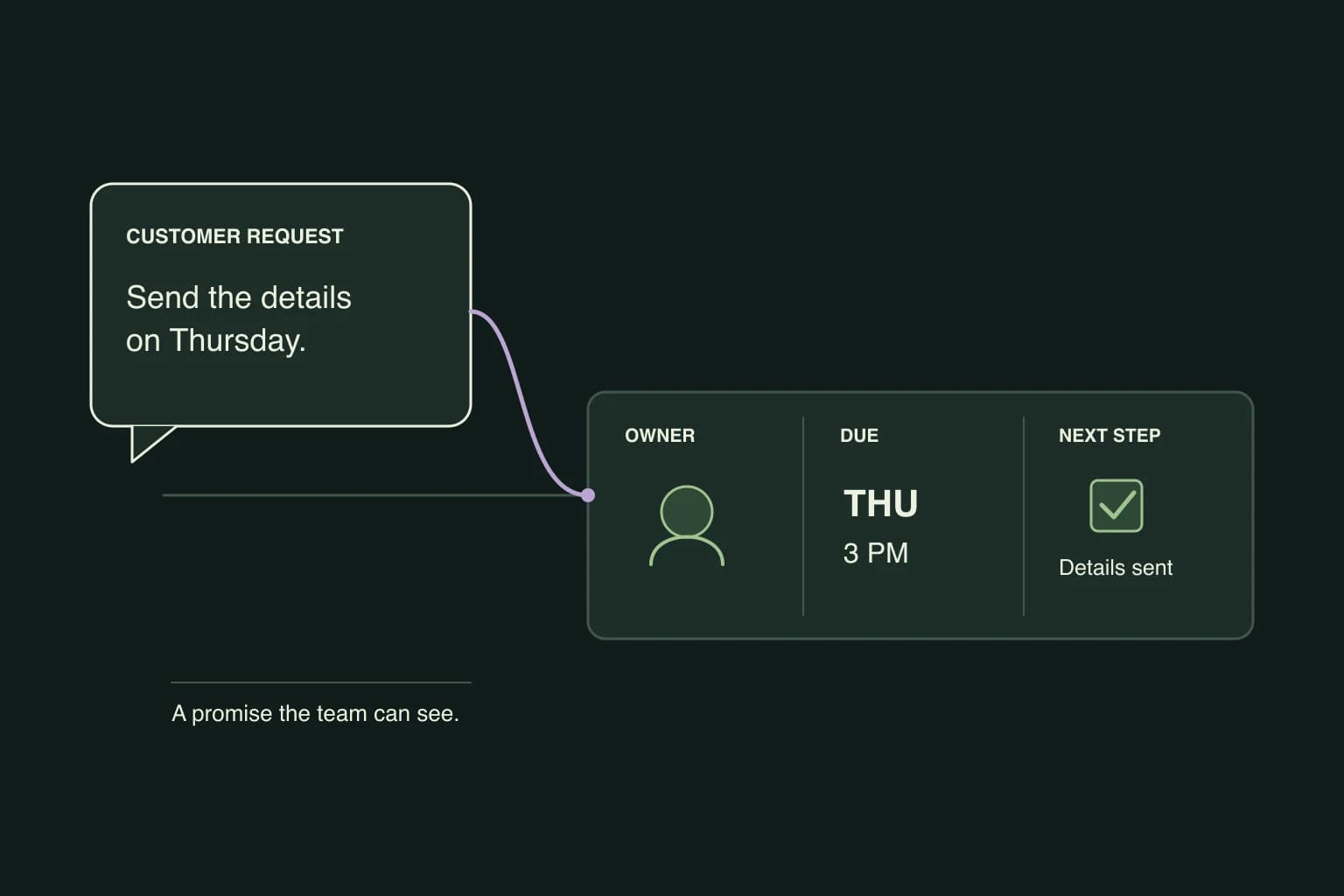
WhatsApp lead follow-up works when every active conversation has a recorded customer request, a specific next action, a due time and one owner. Automation should remind or send only while that context remains current, and it should stop when the customer replies, converts, declines or becomes ineligible.
“Send me the details on Thursday.”
That reply is easy to acknowledge and easy to lose. The customer has given you a next step, but the conversation can still disappear beneath newer messages. A label such as “warm lead” will not tell the colleague covering tomorrow what was promised or when to act.
For each active sales conversation, keep the customer's request, the next action, a due time, and one owner together. This can start as a small manual process. Automation becomes useful when it can follow those decisions reliably.
Record the promise before leaving the conversation
Consider a fictional property request. A customer asks about a two-bedroom apartment, says they can view after work, and asks for confirmation the following afternoon. The agent still needs to check access with the property manager.
A useful note would read:
Wants to view the two-bedroom apartment discussed in this thread. Available after 6pm. Waiting for the property manager to confirm access. Sara owns the request and will update the customer tomorrow by 3pm. No viewing is booked yet.
That note gives the next person something to do. “Interested, follow up” leaves the important decisions in somebody else's memory.
Keep the actual listing or quote attached to the record. If there are several options in the conversation, a reference such as “the apartment” can become ambiguous by the next day.
The same approach works for a distributor waiting on a quantity, an education team checking an intake date, or a service business preparing a quote. Record the fact that changes the next action. Do not ask for a budget, job title, or full address simply because a form has a field for it.
Separate waiting for the customer from waiting for your team
Both can look like a quiet chat, but they need different follow-ups.
| Current situation | Next useful action |
|---|---|
| The customer asked for a quote | Prepare or review the quote; do not send a generic check-in instead |
| Your colleague is checking availability | Give that colleague an owner and deadline; update the customer if the answer is delayed |
| The customer asked you to return on Thursday | Schedule a review for Thursday, with the request and permission visible |
| The customer needs time but gave no next date | Ask whether they want a later update and agree what it should contain |
| The customer declined or asked you to stop | Close the follow-up and apply the appropriate contact preference |
An internal reminder is useful even when an outbound message would be inappropriate. It can tell a person to review the conversation without automatically contacting the customer. In Otobiz, follow-up reminders and scheduled replies serve these different jobs: use a reminder to review the thread, and a scheduled reply only when the message itself is appropriate. Recheck the request and the customer's permission before it goes out.
Make the follow-up carry something useful
Before sending, finish this sentence: “The reason for this message is…”
For the property example, the reason might be that access has been confirmed. If it has not, say what is still being checked and give an honest next update time. Do not turn an unverified slot into a booking merely to make the message sound complete.
An illustrative reply after availability is verified:
I have checked access for the apartment you asked about. Thursday at 6:30pm is available. Would you like me to arrange the viewing?
This offers a next step without claiming the appointment already exists. Once the customer accepts, complete the booking in the system the team uses, then send the confirmation.
For other businesses, the useful detail could be a finished quote, an answer to a course question, or a confirmed delivery option. If nothing has changed and no update was promised, another “just checking in” message may add little.
Check permission and the window at send time
A reminder on your calendar does not authorize a WhatsApp message. On the API, a closed 24-hour customer service window requires an eligible approved template. The customer's message or call resets that window; your own follow-up does not.
A message answering a specific request and a promotion to revive an old lead can have different purposes. Use the applicable template category and permission. Do not classify every sales follow-up as utility because the person contacted you once.
Keep the wording and scope of the permission record. An opt-out or a reply can arrive after a follow-up was scheduled, so check the conversation again before sending. If the request has been resolved, cancel the obsolete follow-up.
Meta’s service-message rules define the channel boundary. Your business still decides whether the message is relevant and who has authority to make the offer.
Give a colleague enough context to take over
A shared inbox is useful when the person responsible for the next reply can see the original request, the latest promise, and any unresolved decision.
When ownership changes, keep those details together. If Sara is away, a colleague should be able to see that the property manager has not confirmed access. They should not need to ask the customer to explain the whole request again.
Agree what happens outside working hours. An acknowledgment can state when the team will return, but it should not count as a completed answer. Keep the request open until the promised work is done or the customer no longer wants it.
Review outcomes, not the number of nudges
At the end of a chosen review period, look at the requests whose next actions fell due. Count how many received the promised action on time, how many are still waiting on the team, and how many reached a verified outcome such as a sent quote or booked viewing.
Keep customer silence separate from a team omission. A customer may choose not to proceed even when the team did everything agreed. Conversely, a delivered message is not proof that a quote was prepared or an appointment was booked.
Start by reviewing a handful of recent conversations with the people who answered them. Add the missing owners, promises and due times. Then use the platform evaluation guide to check whether software can maintain that process as the workload grows.
Published by Otobiz on . Last updated .