WhatsApp platform5 min read
WhatsApp appointment reminder guide
Plan appointment confirmations, reminders, changes and cancellations around the current booking, with clear replies and a useful way to measure results.
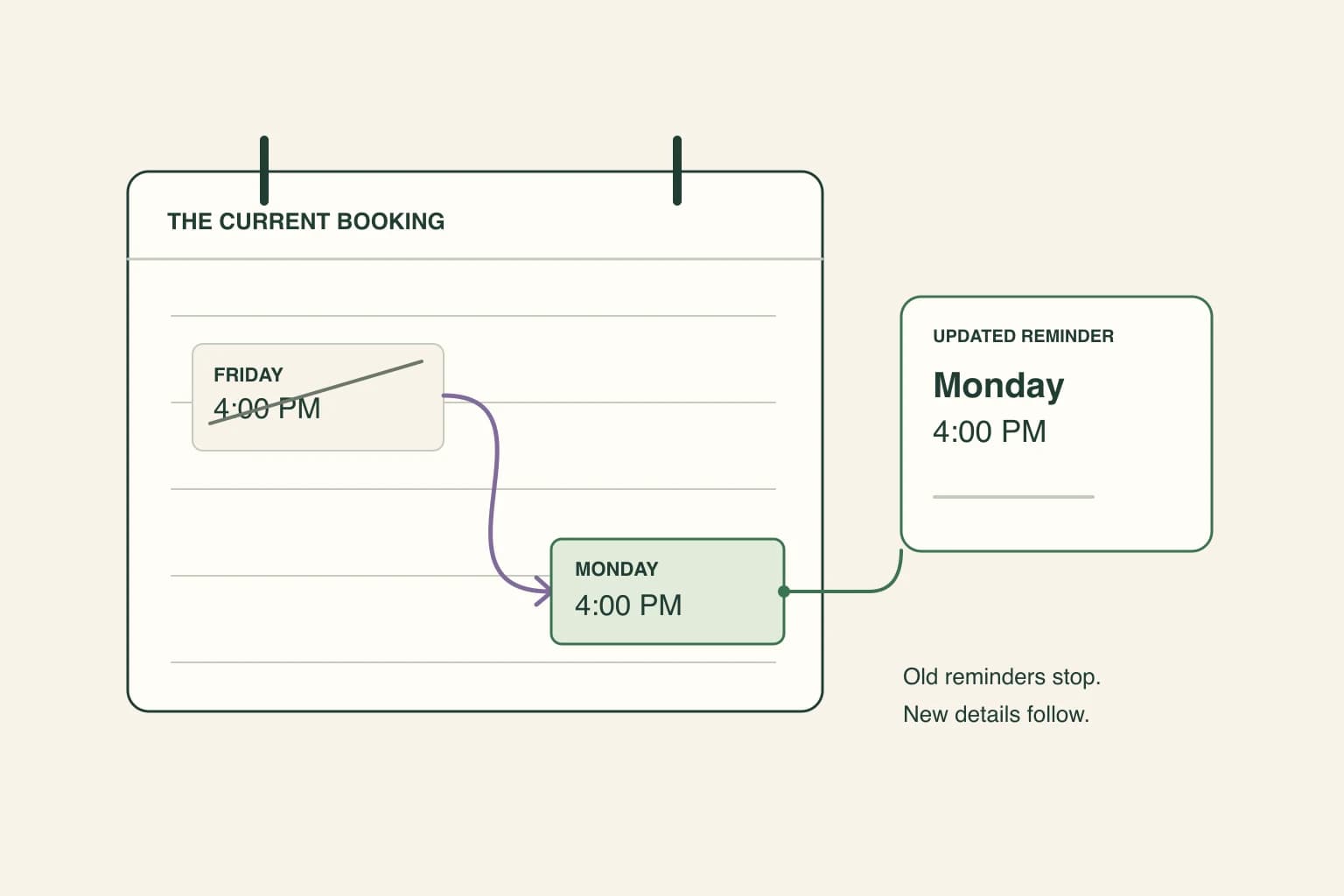
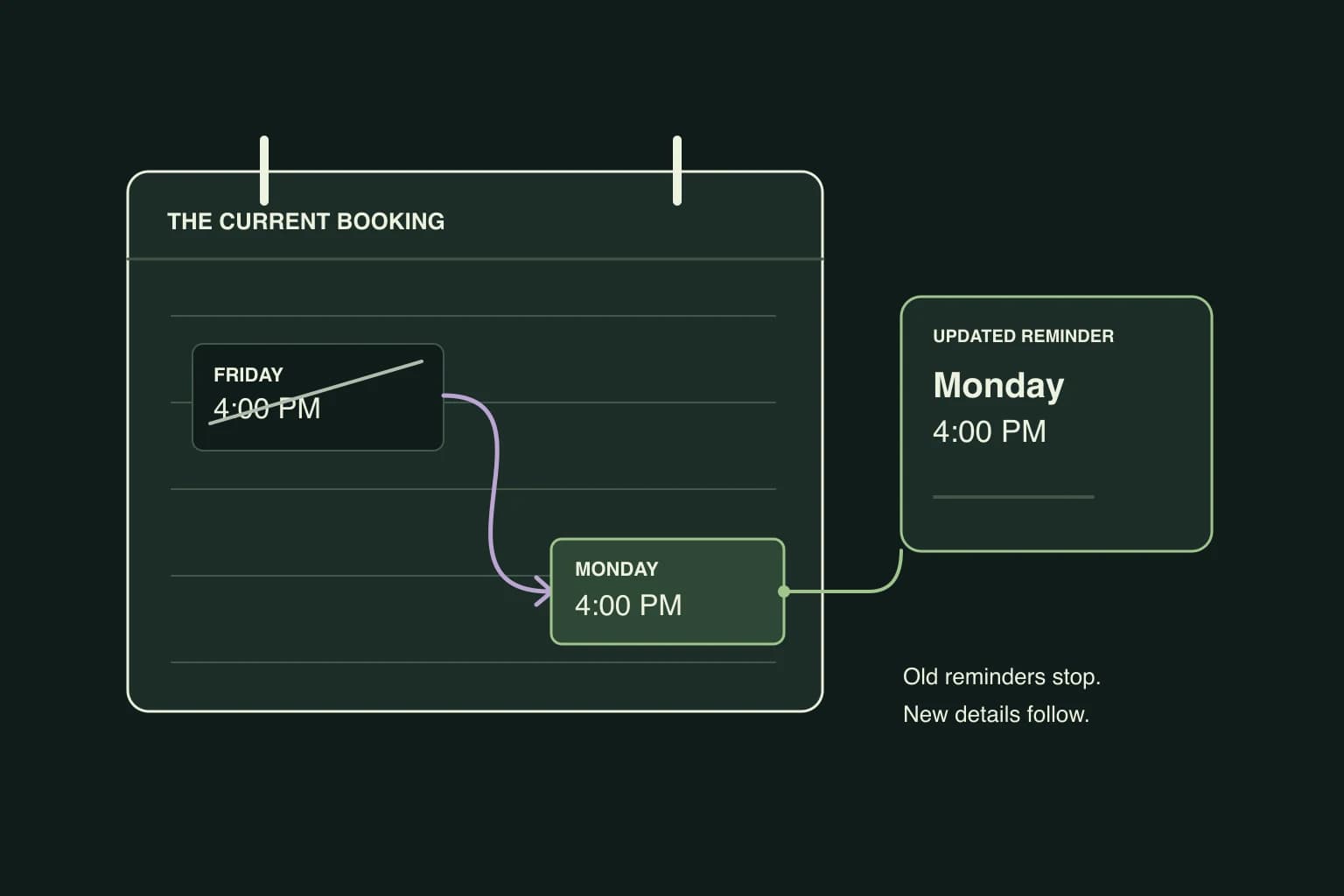
The current booking at send time should determine every WhatsApp appointment reminder. A reliable reminder process distinguishes confirmation, reminder, change and cancellation messages, rechecks the booking before each send and gives the customer a clear way to reply, reschedule or cancel.
A customer moves a Friday appointment to Monday. On Thursday evening, the old reminder arrives: “See you tomorrow.”
The wording may be polite and the message may be delivered successfully. The customer still has the wrong instruction. A useful reminder process starts with the current booking and checks it again before sending.
This guide covers what happens after an appointment is made. For the first conversation, use the appointment qualification guide.
Keep confirmation, reminder and change messages distinct
A booking confirmation tells the customer that a slot has been saved. A reminder brings that existing appointment back to their attention. A change confirmation tells them which details have replaced the old ones.
Those messages should reflect the same booking record. At minimum, the team needs to know which appointment it is, whether it is still active, its date and time zone, the location or branch, and how the customer can request a change.
For a business with several locations, “your usual branch” may not be enough. Use the actual branch attached to this appointment. For a home visit, confirm the agreed service address through the appropriate private conversation.
Avoid putting unnecessary personal details in the reminder. The customer needs enough information to recognize and manage the appointment, not a copy of the entire intake form.
Give the customer a useful reply path
Here is a fictional salon reminder. The details are illustrative, and the wording would still need the appropriate Meta review before use as an API template.
Your haircut at Cedar Studio, Marina branch, is booked for Friday 18 September at 4pm, Dubai time. Please reply to confirm, ask to change the time, or cancel.
Each reply creates work. Decide who handles it and what the customer should hear next.
| Customer response | What the team needs to do |
|---|---|
| Confirms | Record the response against the existing appointment |
| Requests another time | Check current availability and complete the change before confirming it |
| Cancels | Update the booking and stop its remaining reminders |
| Says they will be late | Check the business’s policy and capacity; do not promise the slot can move automatically |
| Asks for a person | Put the conversation with someone who can resolve the request |
Read receipts and confirmation are different signals. A customer reading the message does not tell you that they will attend. Equally, a missing read receipt does not establish that they missed the reminder.
Recheck the booking before each send
A reminder scheduled when an appointment is created can become stale before its send time. Recheck whether the booking was cancelled, moved, reassigned, or already completed. Use the latest confirmed details.
If a customer changes Friday to Monday, the team should be able to inspect one current appointment and see that the Friday reminders have stopped. If the change fails, the customer should hear that it is still being resolved. Do not announce a new time that the booking system has not saved.
Also check whether somebody has already sent the same reminder manually. Two reminders from different parts of the business can make a simple appointment look uncertain. Choose which process owns each message and let the team see what has already gone out.
These are useful questions for any booking integration: can it read the current status, detect a change, and prevent an obsolete reminder? Ask the provider to show the change sequence using a test appointment.
Choose timing from the appointment, not a universal sequence
There is no single reminder schedule that fits a short salon visit, a home repair appointment and a training session booked weeks in advance.
Consider when the customer needs to prepare, how much notice your team needs for a change, and what communication the customer agreed to receive. A reminder sent too late may leave neither side time to act. Repeated reminders after the customer has already confirmed can be unnecessary.
Start with a modest schedule and review the responses. Include appointments made shortly before their start time: they should not receive a backlog of reminders that were designed for bookings made weeks earlier.
Decide what happens when delivery fails
A scheduled reminder can fail to reach the customer. Keep an undelivered message separate from one that was delivered but received no reply. The first needs a delivery decision; the second may simply mean the customer has nothing to add.
Some booking systems can try WhatsApp first and use text if delivery fails. Check which options your own booking provider supports, what they cost, and which channels the customer agreed to use.
If there is no suitable automatic fallback, assign the failed reminder to a person. Before retrying or calling, recheck the booking and any recent customer reply. Keep the recovery action visible so another colleague does not repeat it.
Keep the API rules separate from the booking schedule
A reminder sent outside WhatsApp’s customer service window needs an eligible approved template. Keep it tied to the existing appointment. Adding a discount for the next visit introduces a different purpose and can change the template category.
Collect appropriate permission, respect stop requests, and check the message’s eligibility when it is about to send. A button labelled “Change time” should lead to an actual change process, not a dead end or an unmonitored reply.
Budget using Meta's current pricing rules: reminder templates are billable, including inside the window. An open service window is a permission boundary; it is not a permanent promise that every reply or reminder is free.
You can use the message builder to preview wording from the existing appointment template library. It produces a preview to copy; it does not create a booking, schedule a reminder, or approve a template with Meta.
Measure appointments that actually happened
Track attended appointments, cancellations, reschedules and unexplained missed visits separately. Record the booking outcome in the calendar or booking system, then compare it with message delivery and customer replies.
A simple missed-visit rate is unexplained missed appointments divided by appointments that were still expected to occur. Exclude those properly cancelled or moved before the agreed cutoff, and keep that definition unchanged between periods. Report the counts as well as the percentage, especially with small samples.
A before-and-after comparison can help the team spot problems, but it does not prove reminders caused a change. Service mix, lead time, staffing, seasonality and cancellation rules can change attendance too.
Review failed cases individually. Was the reminder wrong, too late, undelivered, or unanswered? Did the customer request a change that nobody completed? Those answers tell you what to fix. Sending more messages is only useful when the next message solves the actual problem.
Published by Otobiz on . Last updated .